
PrintGen × ChatGPT
ChatGPT plugin · Available now
The PrintGen plugin for ChatGPT.
Create custom clothing in your ChatGPT conversation. Ask PrintGen for a design, see it on a shirt, and refine it with a follow-up message.
The plugin connects your PrintGen account to ChatGPT, including your saved designs and orders. When you are ready to buy, it opens a secure Shopify checkout.
An example prompt for the plugin
“PrintGen, design a lavender tee with a crowned cat that says ‘Royally Unbothered.’”
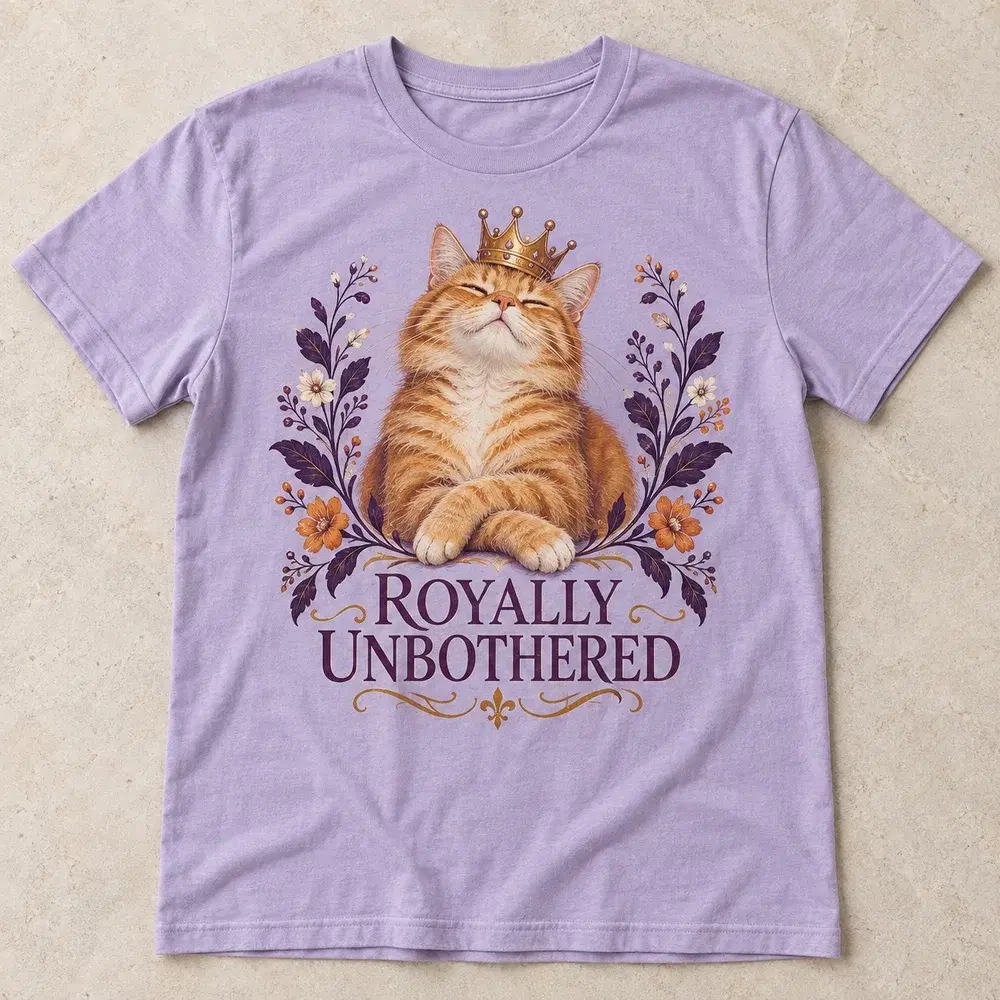
Inside ChatGPT
What you can ask the PrintGen plugin.
The plugin brings design creation, edits, saved previews and order tools into your conversation.
- 01
Create a design
“PrintGen, design a retro camping shirt that says ‘Professionally lost.’”
Describe your idea and see a PrintGen design on the clothing you choose.
- 02
Use your photo or logo
“Put this photo on a T-shirt.”
Attach one photo or logo to your message and PrintGen designs with it.
- 03
Ask for an edit
“Make the lettering bigger and try it on a cream shirt.”
Refine the artwork or change the shirt color, then review the new preview.
- 04
Return to saved designs
“Show me my saved PrintGen designs.”
Browse your saved work and pick up a design you want to keep working on.
- 05
Prepare an order
“Use this design for two medium shirts and one large.”
Choose sizes and quantities for one approved design. Follow the link to pay in Shopify checkout.
- 06
Check your order
“Has my PrintGen order been placed?”
Ask about payment and order status from the same conversation.
Getting started
Add PrintGen to ChatGPT.
01
Add the plugin
Open the PrintGen listing in ChatGPT and add it.
02
Connect PrintGen
Connect your PrintGen account so the plugin can access your designs and orders.
03
Ask in ChatGPT
Tell PrintGen what to make. Review the design, ask for changes, and order when you are ready.
About the ChatGPT plugin
How do I add the plugin?
Open the PrintGen listing in ChatGPT from this page, add it, and connect your PrintGen account.
Can I use a photo or logo in ChatGPT?
Yes. Attach one photo or logo to your message and tell PrintGen what to make with it. If ChatGPT can’t attach your image, upload it on the PrintGen website instead.
How do payment and delivery work?
You review the product, design, sizes, quantities and price before leaving ChatGPT for Shopify checkout. Payment happens there, with final shipping and tax shown before you pay. Delivery is US only.
Does the plugin use my PrintGen design allowance?
Yes. Creating and editing designs uses your PrintGen account’s allowance. Ordering the finished clothing is a separate purchase that you confirm at checkout.
Connecting PrintGen to another assistant? Explore MCP & skills